0xProcessing is rolling out Binance Pay support, opening up direct crypto checkout for the 300+ million users registered on the world's largest exchange. Customers can now pay merchants right from their Binance account, no wallet apps, no seed phrases, no gas fees. Think of it as Apple Pay for crypto: one tap, the funds move from the exchange balance to the merchant in seconds.
What Binance Pay actually does
Binance Pay is the in-app payments layer Binance built for its own users. You spend crypto from your exchange balance with a QR scan, a payment link, or a Binance ID. No on-chain gas on the user side. According to official data, Binance Pay has processed over $280 billion in volume since launch and supports payments at over 21 million merchants.
For the customer, checkout looks like this. Tap Binance Pay. Scan the QR or open the link inside the Binance app. Confirm with PIN or 2FA. Funds settle in real time, straight from the exchange balance.
Why this matters for merchants
For 0xProcessing clients, the integration removes one of the main friction points in crypto checkout. A typical crypto payment still requires the customer to copy an address, pick the right network, and pay gas. With Binance Pay, none of that exists. The user is already inside their exchange app, the funds are already there, and the payment goes through with one confirmation.
This shifts the conversion math. iGaming, high-volume e-commerce, and B2B platforms, anywhere a few extra seconds at checkout cost real money. And the audience overlaps almost perfectly with what merchants want. Binance has 300+ million accounts globally, with heavy concentration in Turkey, Brazil, Argentina, and Southeast Asia. Card payments in those regions often get declined or carry punishing cross-border fees.
What you get with the integration
Through 0xProcessing, Binance Pay slots into the same dashboard as the rest of the platform. A few specifics worth flagging:
- Customers pay with any of the 300+ cryptocurrencies on Binance Pay, and the payment is settled to the merchant in their preferred currency.
- 0% gas fees on the customer side, which usually translates into higher completion rates at checkout.
- Same volatility protection as the rest of the platform: incoming funds can auto-convert to USDT or USDC through VRCS.
- Same payout terms: 0% fee on withdrawals, settlement 24/7.
- Compatible with API integration, payment links, and invoicing flows already in use by 0xProcessing merchants.
For merchants serving global audiences, this is a direct line to the largest pool of active crypto users. No new infrastructure, no separate KYC flow on the customer end, just an extra payment option in the checkout that a Binance user can complete in under ten seconds.
How to integrate Binance Pay into your site
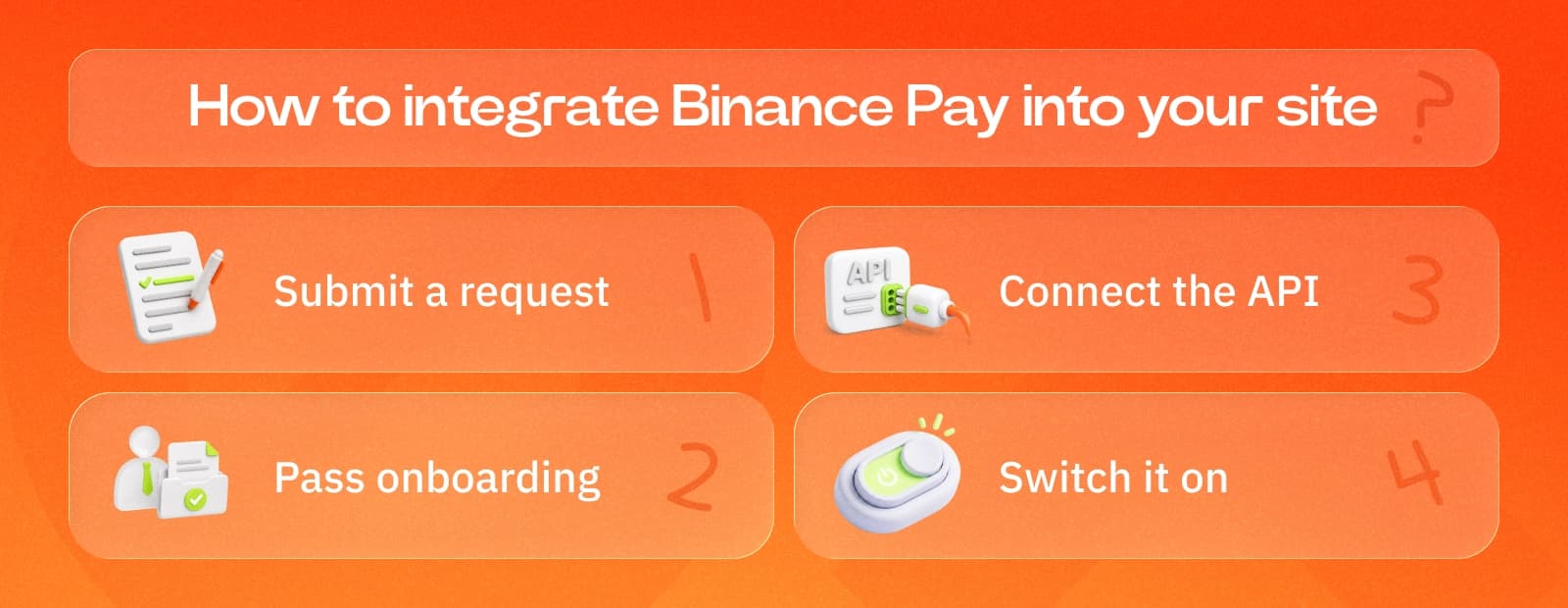
Binance Pay slots into the standard 0xProcessing onboarding. No separate contract, no extra KYC on the customer side. Four steps and it's live.
- Submit a request. Fill out the form on 0xprocessing.com or message your manager directly if you're already a client.
- Pass onboarding. A dedicated manager runs the KYB check, collects business details, and aligns the technical setup with your industry.
- Connect the API. Add Binance Pay to your checkout through the same 0xProcessing API you use for the rest of the platform. Payment links and invoicing flows are supported out of the box, no separate SDK needed.
- Switch it on. Activate Binance Pay in the dashboard. Customers see it as a new option at checkout, right next to other crypto methods.
For merchants already running on 0xProcessing, activation usually takes a day or two. New merchants go through full onboarding first.
Rollout
Binance Pay will be available to merchant accounts in the coming weeks. Existing 0xProcessing clients can request activation through their dedicated manager or the dashboard. New businesses can submit a request through the website to start onboarding.
Faster checkout, broader reach, fewer drop-offs at the payment step. That's the short version.